For merchants in Pakistan, managing customer payments efficiently is an important part of running a business. As transaction volumes grow, keeping track of incoming payments, reviewing sales, and reconciling transactions can become increasingly time-consuming. The AssanPay merchant app helps businesses manage their payments through a dedicated merchant account, with transaction records available in the app and settlements transferred to a linked bank account. This guide covers its key features, supported devices, team access, account limits, and the steps to get started. Ready to simplify your business payments? Download the AssanPay Merchant App on Google Play and start your merchant registration.
What Is the AssanPay Merchant App?
AssanPay is a B2B payment gateway, not a mobile wallet. A wallet stores money for people to spend. A gateway helps a business accept payments and move them into its own bank account. The merchant app is the phone side of that system. It works as a payment collection app and a merchant settlement app in one. Moreover, it also solves a daily problem. For example, customers often send money to a personal number, causing shop income and personal money to blur together.
With AssanPay, each business gets a verified identity. Earnings stay separate, the owner’s private number stays private, and every sale is easy to trace.
How a Payment Reaches Your Linked Bank Account
AssanPay uses request-based settlement. Money does not follow a fixed daily or weekly cycle. Instead, the merchant decides when to move it.
- Payment received. Merchants can accept customer payments through multiple channels, including QR codes, payment links, soft POS, mPOS, and hard POS terminal. Available options depend on the merchant setup and supported devices.
- Withdrawal requested. You withdraw any amount within your account limit, whenever you need it.
- Funds settled. AssanPay verifies the request, then transfers the money to your linked bank account.
Every step leaves a trail. A successful payment triggers a success animation, a sound alert, a push notification, a receipt, and a history entry. A failed payment shows a failure message and a failed receipt, and the transaction is marked Failed. A failed withdrawal sends a notification, and your balance stays unchanged.
Payment Collection Methods Available Through AssanPay
AssanPay supports digital payment collection through QR codes and payment links, with additional card acceptance options available through its POS solutions. Therefore, merchants can choose the method that fits their sales environment, whether they collect payments at a counter, serve customers on the move, or take orders remotely.
01. Instant QR
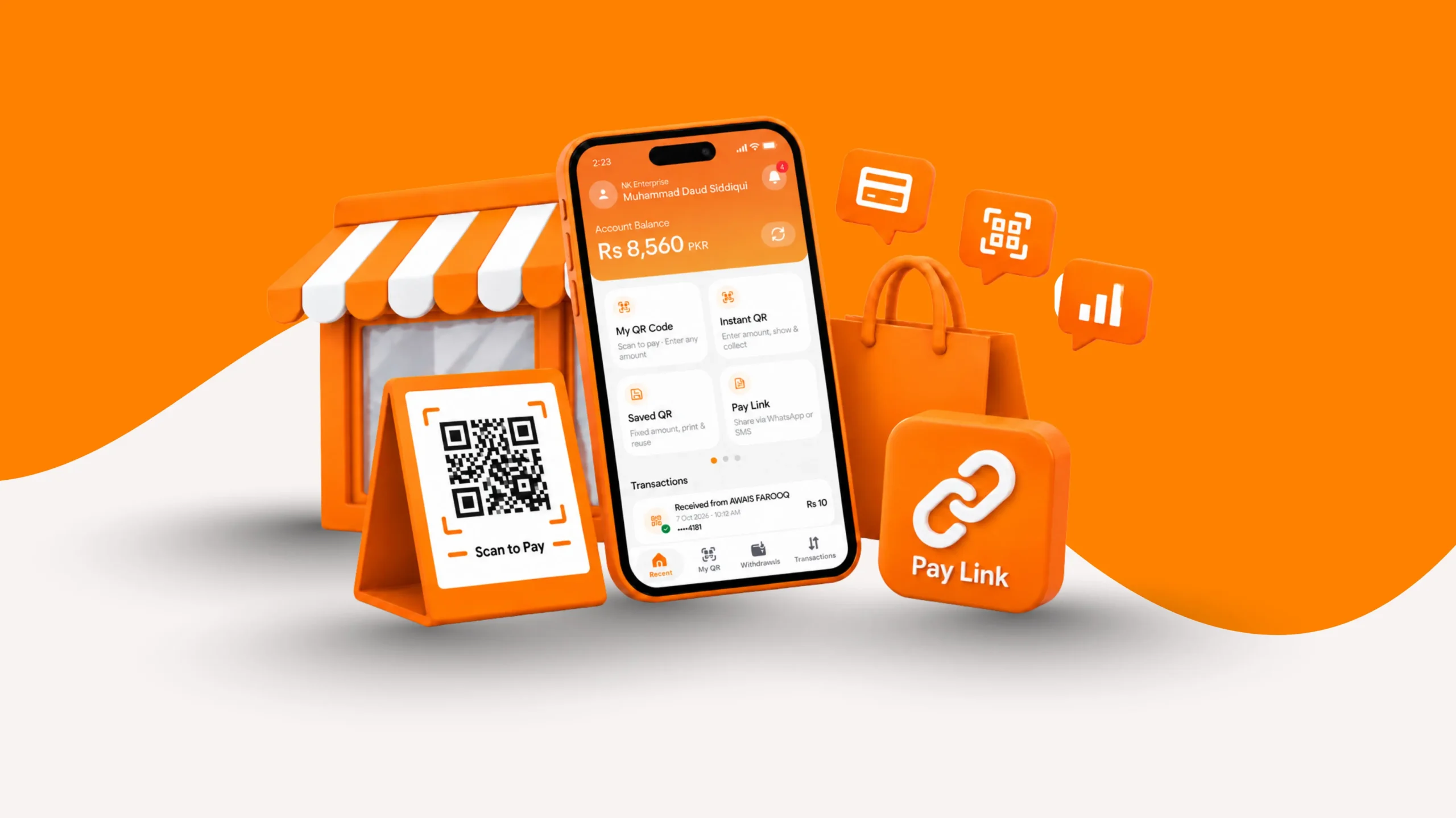
Instant QR allows merchants to generate a dynamic QR code for an individual transaction. Enter the payment amount, generate the code, and display it on your phone. The customer scans it using a supported banking app to complete the payment. Aditionally merchants can also share the generated code through compatible apps, making it useful for in-person sales and payment requests outside the counter.
02. Saved QR
Saved QR is designed for recurring payments with fixed prices. For example, merchants save the product or service name and its price, then retrieve the saved QR when they need to collect the same amount again. This reduces repeated data entry for businesses that regularly sell the same products or services at set prices.
03. Static QR
Static QR provides a reusable code that merchants can display at their premises or share with customers. Customers scan the code using a supported banking app to make a payment. Unlike a dynamic QR generated for a specific transaction, In contrast static QR can be used for multiple transactions, making it suitable for counter-based collections.
04. Payment Links
Payment links enable merchants to request payments remotely. This option is useful for businesses that take orders through phone calls, messaging apps, or social media. To create a link in the AssanPay app, select Pay Link, tap Create, and enter the customer’s name, and payment amount. The payment links expire after 10 minutes. Once a payment succeeds, merchants receive a sound alert, a push notification, and a payment receipt. Failed transactions display a failed status and a corresponding receipt.
05. SoftPOS
SoftPOS allows Tap-to-pay card acceptance through a compatible smartphone equipped. Instead of requiring a separate card terminal, the merchant uses a supported phone to accept eligible contactless card payments. The commercial proposal specifies local Visa and Mastercard debit and credit cards for this service.
06. mPOS
mPOS uses a compact card reader paired with a smartphone to accept card payments. Its portable setup is suited to businesses that collect payments away from a fixed checkout counter, including delivery operations and mobile sales. Device procurement and commercial arrangements are outlined in AssanPay’s POS and mPOS proposal.
07. Hard POS Terminals
Hard POS terminals are dedicated payment machines designed for businesses that need a conventional card-acceptance setup at a checkout counter. The proposed AssanPay POS solution supports Visa, Mastercard, UnionPay, and PayPak.
Payment Confirmation: Soundbox
Soundbox is a payment-confirmation device rather than a collection method. It announces incoming digital payments through audio alerts, helping merchants check payment confirmations without repeatedly looking at their phones. The supplied product information describes a Wi-Fi-connected device that can operate even when the merchant’s phone is not nearby.
Quick Comparison
| Payment option | How it works | Suitable business use |
| Instant QR | Generates a dynamic QR for a specific amount | In-person sales with varying totals |
| Saved QR | Stores product or service details for repeat use | Fixed-price products and services |
| Static QR | Uses a reusable QR code | Counter-based QR collections |
| Payment Links | Shares a payment request with a customer | Social media |
| SoftPOS | Accepts eligible Tap to pay cards | Businesses seeking phone-based card acceptance |
| mPOS | Connects a portable card reader to a smartphone | Deliveries and mobile sales |
| Hard POS | Accepts card payments through a dedicated terminal | Fixed checkout counters |
| Soundbox | Announces payment confirmations | Counters that need audible payment alerts |
Devices and Team Access
Choose the Setup That Fits
A smartphone is enough to start. No card machine and no extra hardware are needed. When a counter does need a device, AssanPay offers four options:
- SoftPOS: Turns an NFC-enabled smartphone into a card payment terminal that accepts local debit and credit cards, including Visa, Mastercard, PayPak and UnionPay.
- mPOS: A compact card reader that pairs with your phone to accept card payments. Supported card networks should be confirmed, including whether PayPak and UnionPay are accepted.
- Hard POS and POS terminals: Dedicated card machines for counters with steady footfall. They accept Visa, Mastercard, UnionPay, and PayPak, including international cards. Every printed receipt carries the AssanPay name.
- SoundBox: A small portable speaker that announces each digital payment as it arrives. It connects through Wi-Fi, so it works even when your phone is far away. It also protects you from fake payment screenshots.
Merchants can take the full AssanPay bundle, which brings together parent and child access, every QR option, audio alerts, and the payment devices. Others can pick individual services, such as a POS terminal alone.
Parent and Child Accounts
A business owner may need to oversee multiple counters, branches, or team members without being physically present at each one. AssanPay’s parent and child account structure makes this possible.
01: Parent account. This is the owner’s account with full admin access. From here you link the bank account, manage withdrawals and settlements, and create a child account for each counter, branch, or team member. Only the parent can link or change bank details.
02: Child accounts. These are for collections only. Staff can generate QR codes and receive payments. They cannot withdraw funds, change bank details, or edit settings. Every payment taken on Terminal 1, Terminal 2, or any other child account appears in the parent dashboard, so nothing slips through.
Security, Limits, and Records
Security and Account Controls
From sign-up to withdrawal, AssanPay prioritizes security at every step.
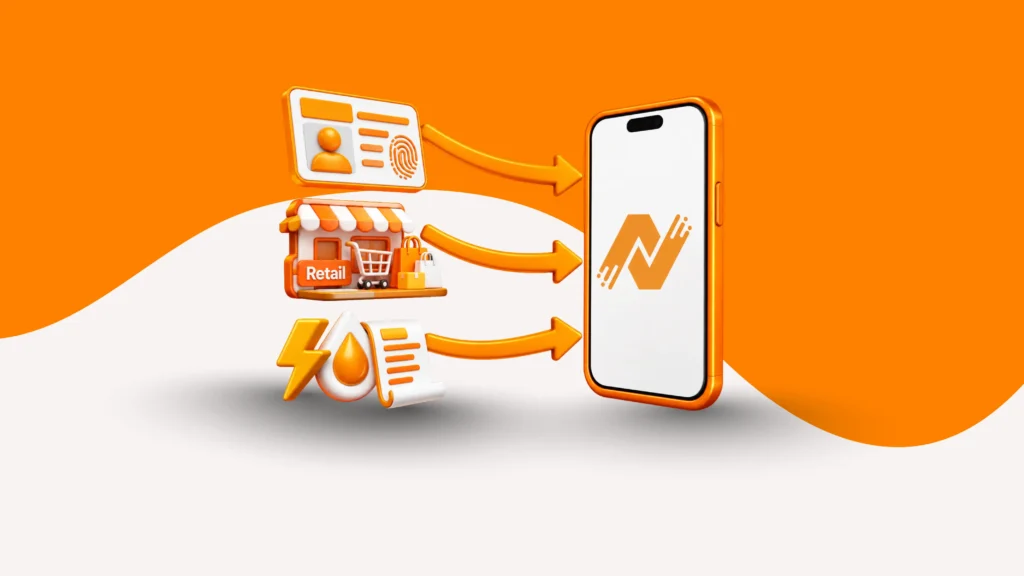
- Merchant verification. Each merchant scans the CNIC front and back, then takes a live selfie. An admin reviews the profile before the account goes live. So every merchant QR code links to a verified account, not an anonymous one.
- Secure login. A unique 5-digit MPIN ties access to your registered device. You can change it anytime from Settings by entering the current PIN first.
- Account deletion. You must withdraw your full balance first. Then choose a reason and confirm. The account is marked for deletion and closes permanently after 30 days. Signing in within that window reactivates it and cancels the request.
- Account preferences. Switch push notifications on or off, add or update a profile picture, and log out from the app.
Account Limits That Grow With Your Business
Every account starts with a cap on what it can receive and withdraw. As sales grow, you can move up a level from inside the app.
| Level | Daily receiving and withdrawal | Maximum per transaction | How to reach it |
| Level 1: Starter | PKR 50,000 | PKR 50,000 | Default for new merchants |
| Level 2: Growth | PKR 500,000 | PKR 500,000 | Add a few extra business details |
| Level 3: Corporate | PKR 1 million to 2 million | Tailored to the business | Built for larger businesses |
Records You Can Trust
The transaction history lists every successful and failed payment. Filter it by date and status to find a sale fast. Each entry has a receipt, and you can share it through any installed app. From one screen you can see what came in, what is pending, and what already sits in your bank account. Owners no longer wait for closing time to learn how the day went.
Who Should Use the AssanPay Merchant App?
Peak seasons, month-end collections, and bulk orders all bring a surge in payments. Manual tracking then slows the team and invites costly errors. The app suits any business that collects often and wants clean records:
- Retail shops, groceries, pharmacies, salons, and cafés that take counter payments all day.
- Retail chains and wholesale distributors that need every branch to report into one view.
- Service companies with recurring clients that collect by pay link.
- Online and social sellers who never meet buyers in person.
It fits solo owners and multi-member teams alike. Core functions sit one or two taps away, so staff spend less time on screens and more time with customers.
How to Get Started in Four Steps
- Register. Enter your mobile number, verify it with an OTP, and create a 5-digit MPIN.
- Get verified. Scan your CNIC, take a quick selfie, and add your business details. An admin reviews the profile before activation.
- Link your bank account. Only the parent account can do this, so staff accounts never touch your payouts. Wait for approval.
- Start collecting. Generate Instant QR codes, accept Raast payments, or share pay links. Add child accounts when your team grows.
Need help with setup or a device? The support team answers on WhatsApp, email, and phone from 9am to midnight.
Frequently Asked Questions
01: How is a payment gateway different from a mobile wallet?
A gateway lets a business accept payments and move them into its own bank account. A wallet stores money for people to spend inside its own system. AssanPay works as a gateway.
- Collected money is not meant to stay in the app
- You withdraw it to your linked bank account
- Withdrawals are verified before settlement
02: How can a small shop accept digital payments without a POS machine?
A QR code or a pay link replaces the card machine. You generate a code for the exact amount, or send a link, and the customer pays from their own phone.
- No card reader and no extra device
- No long-term contract needed to begin
- POS options stay available as you grow
03: How long does money take to reach my bank account?
AssanPay settles on request, not on a fixed cycle. The payment lands in your AssanPay account first. You then request a withdrawal within your account limit, whenever you choose.
- AssanPay verifies each request
- Verified funds go to your linked bank account
- You control the timing
04: What do I need to register as a merchant?
Registration relies on identity checks that protect merchants and customers from fraud. You need a mobile number, a CNIC, and a phone camera for the selfie.
- Verify your number through an OTP
- Scan the CNIC and complete a selfie check
- Wait for the admin review before activation
Final Thoughts
A business deserves a payment tool as organised as its stock room. The AssanPay merchant app combines QR codes, pay links, card devices, team controls, and clear records in one place. Start with a single code on the counter, then add devices and staff accounts as sales grow. Ready to accept digital payments with ease? Get the AssanPay Merchant App on Google Play and manage QR payments, payment links, and collections from one place.